Initial Data Transfer 

Prerequisites

Before you start the initial data transfer, you should have answered the following questions:

The objects to be transferred depend on the business application that you will use. If you use sales and distribution processing, for example, you should transfer the material masters as well as the sales documents from your legacy system.

The objects can be transferred manually or automatically, using an SAP standard program or your own program.

The following process applies to transferring data automatically using the SAP standard conversion program and the Data Transfer Workbench.

Process Flow

When data is initially transferred, data from the legacy system is converted into a sequential data transfer file and then transferred to the R/3 System using an SAP data transfer program. The data transfer file is the prerequisite for successfully transferring data as it contains the data in a converted format that is suitable for the R/3 System.
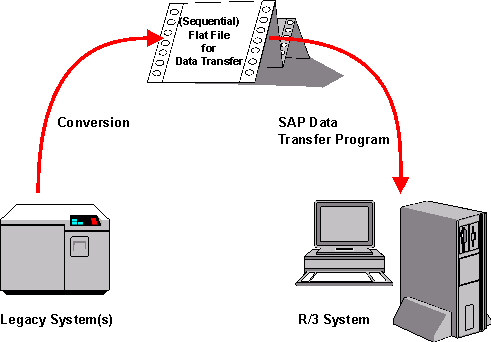
You transfer a business object as follows:

  1. First you should Identify the Relevant Fields that are to be supplied with data.
  2. By Analyzing the Transfer Structure, familiarize yourself with the transfer structure into which the legacy data is to be converted.
  3. Once you know the transfer structure and the relevant fields, you can Create a Sample Data Transfer File.
  4. Next you should Test the Data Transfer Program by transferring the data for the sample transfer file and then analyzing any errors that occur.
  5. You should then Analyze the Legacy Data.
  6. Once you are familiar with the data in both systems and their structure, you can Assign Fields. In doing so, you establish which data from your legacy system is mapped to which SAP fields. You can use a commercial mapping tool for this.
  7. As SAP does not provide a conversion program, you have to Write a Conversion Program which transfers your legacy data into the appropriate structure for the R/3 System. You can write the conversion program in ABAP or another programming language. SAP supports you with this step in which you can Export Structure Descriptions (that is, export them into the programming languages PL/1, COBOL, C or RPG).
  8. Before converting the data, you should Prepare the Legacy System by deleting obsolete data, for example.
  9. Before you actually transfer the data, you should also Test the Data Transfer.
  10. Once the test is successful you can use the SAP standard conversion program to Execute the Data Transfer.

Result

Your legacy data is transferred into the R/3 System.