
Troubleshooting
Barcode Cannot be Scanned
If the Self-Scanning Client is not able to scan a barcode (because the barcode is damaged or dirty, for example), the Self-Scanning Client shows a warning message to the customer. The message prompts the customer to ask a member of staff for help during the shopping trip or, at the latest, to ask a member of staff at the check-out area of the store so that they can scan the items for the customer. The message displayed to the customer can be configured by the retailer, depending on the number of employees in the stores.
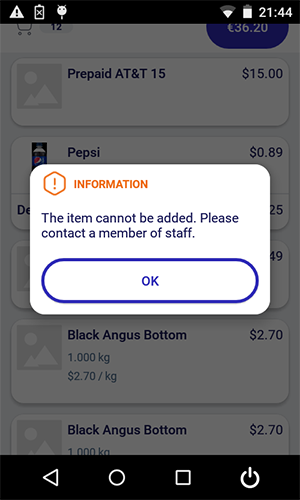

Customer Orders
The customer cannot scan customer orders with the Self-Scanning Client. A corresponding message is shown on the display.
Returning Items to the Store
It is not possible for the customer to capture items that they want to return to the store. The customer has to talk to a member of staff in the store in order to return their items.
Self-Scanning Client Synchronisation (Offline Support)
Our basket system works seamlessly offline first. When you make changes to your basket, they’re updated locally and instantly visible on your screen. Meanwhile, the request is securely stored and queued in the background. A SyncManager then processes these requests, ensuring they are properly synchronized with the server. Once the updates are confirmed, the latest basket data is fetched from the server and saved locally. The system then notifies your device, refreshing your UI to reflect the most up-to-date information. This ensures a smooth and reliable shopping experience, even with intermittent connectivity.