
Logbook
If a tableau is edited or created, this can be subsequently traced in the Storemanager logbook.
Change Comment Entry
When saving the tableau, a mask for entering the instance name and a change comment appears.
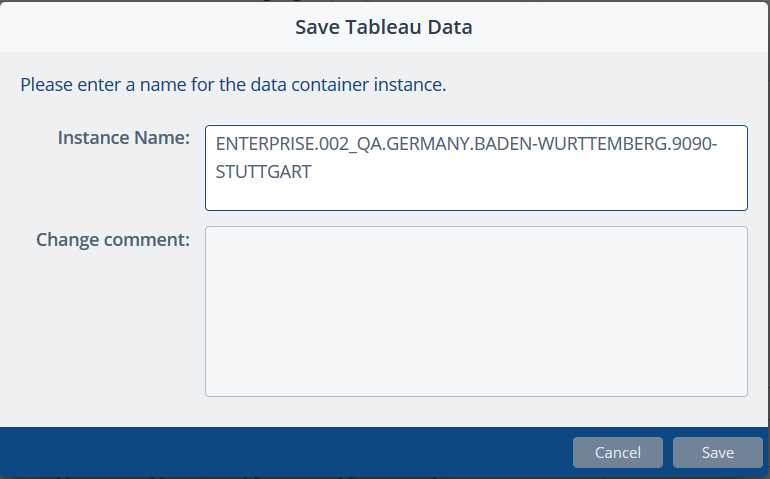
This change comment is displayed in the Storemanager logbook in the details.
Display of the Menu Editor Logbook Entry in the Storemanager Logbook
To view the Menu Editor logbook entries in the Storemanager logbook, first start the Storemanager Client.
Upon successful login, select the module Logbook and call the function Storemanager logbook.
The following overview of all groups and functions available in the logbook appears.

Select the entry "Menu Editor" and click on the button "Next".
A table appears with the logbook entries of the group "Menu Editor" according to the filtering.
The events
- New tableau and
- Tableau updated
are logged.

To access to the detail view, click on the button "Details".

In the detail view, information such as
- Change comment
- Launchpad user
- Global configuration
- Version
- Instance
- Assignment level
is displayed.
Two assignment levels are available:
- System: The tableau was created / edited for a system type, e.g. GKR-OPOS-FAT.
- Structure: The tableau was created / edited for a single structure node, e.g. a store.
The system type name or the name of structure node the tableau was edited for is displayed in the fields "System type name" or "Structure element name".
If the Menu Editor was started from the Storemanager, the field "User" is filled with the Storemanager user who started the Menu Editor. This field remains empty if the Menu Editor was started directly from the Launchpad. In both cases, the Launchpad user is visible in the details.