

 Risk Assessment
Purpose
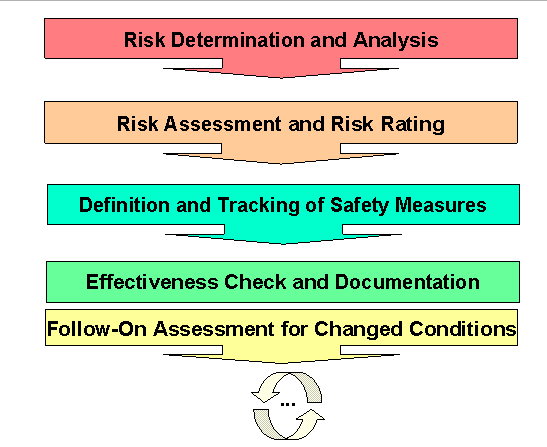
With this component you can document which
agents (hazards or risks) occur in the various work areas of your enterprise.You can analyze and assess the exposure situation according to defined methods, and if necessary order and track
industrial hygiene and safety measures with protection goals.You can check the effectiveness of the safety measures taken and make another overall assessment, meaning a value assignment after check.
If conditions change or the result is not satisfactory, you can make a follow-on assessment. This assigns a version to the existing risk assessment and the process can be performed again. Assigning a version means the historical data is retained and can be called again at any time with reference to a key date.
The following diagram shows an overview of the process described:
Integration
The following Industrial Hygiene and Safety functions are linked together in risk assessment:
For similar agents, it makes sense to assess only one work area or one activity and to use this assessment as a standard assessment for repeated use. For this you can use the
The
Integration means you can now also use the exposure profile as the first step of a risk assessment (risk determination). From an entry in the exposure profile you can directly create a header record of a risk assessment. You can also open existing risk assessments.
To guarantee optimum interaction between the assessments in risk assessment and in the exposure profile, you can run a matchup with the data from risk assessment from either the exposure profile or risk assessment.
In the questionnaire analysis method you can evaluate the questionnaires that were completed and closed in work area management.
See also:
You can use the