 Framework Pages
A portal page object containing user interface units, which together define the layout and structure of a portal desktop. A framework page contains the core iViews and pages that are required by a user to operate and navigate the portal.
Structure
A typical framework page includes the following components that comprise a portal desktop (for details, see Portal Interface):
header area
navigation areas (for example, the top-level navigation area and the navigation panel)
content area
SAP NetWeaver Portal supplies the Classic Framework Page, the Light Framework Page, the Ajax Framework Page, and two headerless framework pages with the default portal installation (see Classic Framework Page). The portal provides the headerless framework pages for the purpose of supporting headerless navigation (see Headerless Navigation). These pages do not contain a header area.
An organization can generate more than one framework page for their portal users, each one customized to suit a different user environment, browsing scenario, or role (see Creating a Framework Page). Each user can use only one framework page instance at a time.
Framework pages are assigned to portal users through portal desktop objects (see Portal Desktops). A portal desktop object combines any number of framework pages and portal themes. The assignment of a portal desktop to users, groups, or roles is enabled by means of a portal display rule (see Portal Display Rules). A portal display rule determines which default portal desktop is allocated to users when they log on to the portal, and hence provides the user with the portal themes and framework pages assigned to that portal desktop.
 Note
Note
Additional framework pages can be created by making copies of the out-of-the-box framework pages and then customizing them.
Example
The flexible design of framework pages and navigation layouts offers numerous adaptable options for various portal user experiences. For example, thin desktops can support slow dial-up connections. Varying framework pages in a company's portal may support different navigational needs for its employee intranet as opposed to its customer- or guest-based extranet.
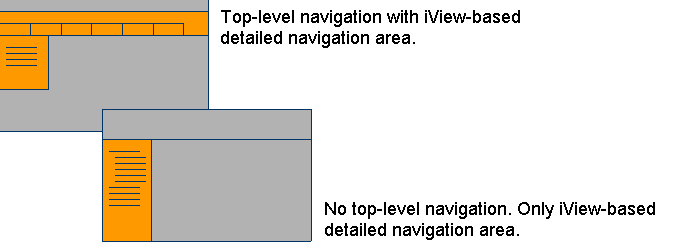
Customized desktops offer flexible user experiences