

 Creating an ICF Service
Call transaction SICF. The initial screen displays the services that already exist. The existing services are located under "sap" and are provided by SAP.

We recommend that customers and partners with their own namespace create in the HTTP service tree a top-level node with the same name as the namespace, and create all services under this node.
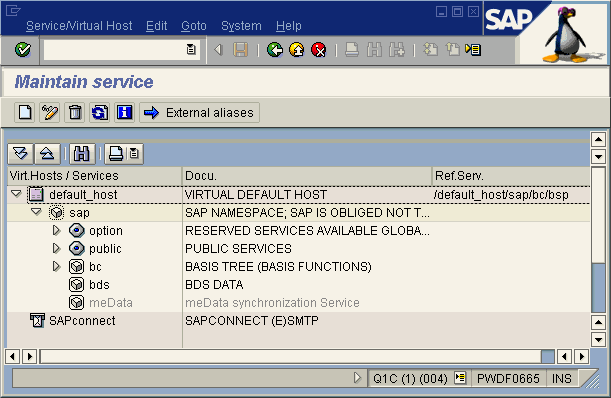
To create your own service, position your cursor on the object in the tree that you want to be the parent of the new service. This can be an existing service or a
Virtual Host. Choose Service / Virt. Host / Create service (or click on it with the right mouse button and choose New Subelement). In the following dialog box for your service or the alias for an existing service, enter a name and decide whether you want to create a service (Independent Service) or an internal alias (Alias for an existing service):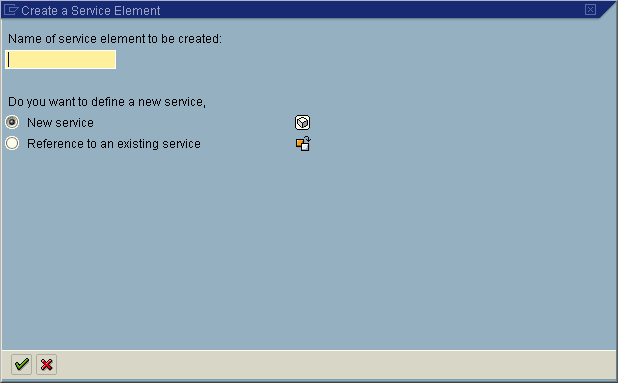

Note that the service name can be 15 characters maximum! Since services are transported, they are subject to the transport system’s restrictions.
If you choose Independent service, the screen shown below appears. Enter the properties for this service (tab page Service Data) and enter the previously created HTTP request handler in the handler list (tab page Handler list). (
Internal Aliases describes how you create an alias.)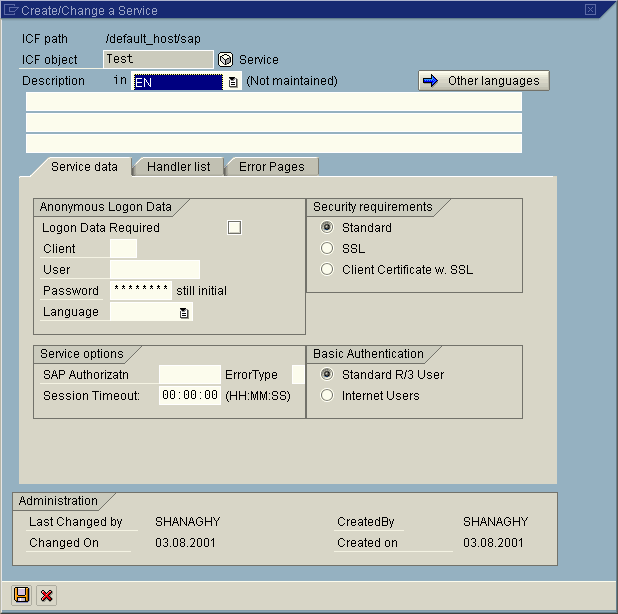
You can create several HTTP request handlers for a single service. These are then called in the order you specify. The programmer can use return codes to control whether other handlers from the list should be called, and if so, which ones.
The following sections describe the properties you can define for a service:
More functions of transaction SICF are described in
Special Features.