

 Integration of SAPforms Forms
Use
By using
SAPforms Forms, those users who do not use the SAP GUI for Windows can access the functions of the SAP System.By using the SAPforms forms you can:
The data can be transferred to the SAP System either online (synchronously) using RFC or offline (asynchronously) using e-mail.
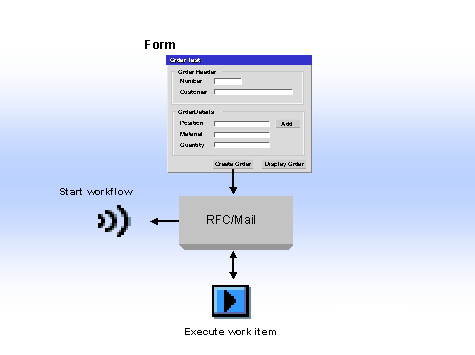
The form integration functions supports "approval workflows" where a workflow is started and an associated work item executed with just one form. Compare the two application examples below.
Prerequisites
To use the functions described here, you must
install SAPforms on your PC. This also applies to local PCs, such as notebooks used by external staff, which are used to access the SAP functions offline using mail.You also need a development environment (Microsoft Visual Basic or Microsoft Outlook) to
Create the SAPforms Forms.Specific default settings are set for data exchange using e-mail. This also applies to starting the workflow and executing a work item.
For more information, see
SAPforms - Administration.The following tables show what functions are available from which release:
Start Workflow
|
RFC |
SAPMAPI |
|
|
Microsoft Visual Basic |
3.1G |
4.5A |
|
Microsoft Outlook |
4.5A |
4.5A |
Execute Work Item
|
RFC |
SAPMAPI |
|
|
Microsoft Visual Basic |
3.1G |
4.5A |
|
Microsoft Outlook |
4.5B |
4.5B |
Features
The SAPforms Interface
After you have created the SAPforms form with Microsoft Visual Basic or Microsoft Outlook, you must prepare it for communication with the SAP System. This is the task of the
SAPforms Designer.When you are working with the SAPforms Designer, you use
plug-ins to define the following:With the
With the
With the
The binding between the form and the SAP System is also defined using the SAPforms Designer.
The SAPforms Designer then inserts a few lines of program code in the form when it is generated to evaluate the binding definition at runtime and communicate with the SAP System.
You can also
call the SAPforms Interface directly, that is, without using the SAPforms Designer.Example
Examples of the scenarios described here are provided in the directory ...\SAPforms\Samples.