
Extras (Menu)
The Extras menu is a pull-down menu at task level. It contains functions the user can choose to complete the current object/object component and which are not constantly needed. These functions generally initiate the display of a dialog box which contains additional information/options.
This pull-down menu is optional. It appears between the
Goto menu and the Environment menu.Illustration
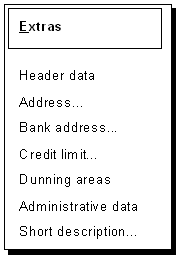
The Extras menu
Use
This menu contains all functions which supply additional data or additional options for the current object component or object.
The Goto menu contains the main screens of the transaction which generally have to be passed during the object processing but which are relatively independent from each other. The Extras menu, on the other hand, often contains the secondary screens of a main screen which are only occasionally processed or displayed. The information of the secondary screen depends directly on the main screen.
To make this dependency structure clear on the user interface, the calls of the secondary screens should not be arranged under Goto and the additional information should be displayed in a dialog box.
Cross-References