2.2 Shell Overview 
NWBC consists of a shell and a central content area that can contain different kinds of content. The shell is the frame consisting of the horizontal bar above and the vertical bar to the left of the content area. Therefore, the shell is the inverted L-shape above and to the left of the content area. It provides a wide range of functions such as role-based navigation, search functions, help, desktop integration, menus, and branding (customer logo). For more information, see 2.3 Navigation, 2.7 Search, and 2.6 Menus.
At the top of the screen is the menu bar, which displays the extended functionality, for example, a list of recently used transactions. Another example is access to the help from the menu. There is also a central search function for quickly finding specific data.
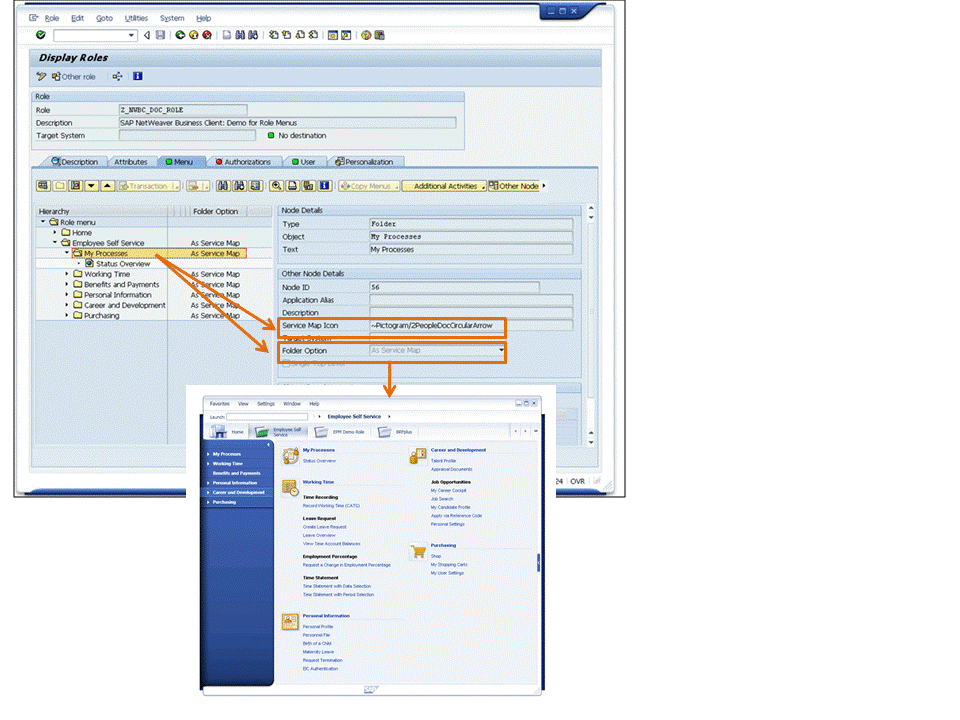 (Example of NWBC shell)
The shell presents the first two navigation levels in more detail at the top of the screen and then uses left panel for additional levels of navigation. For more information, see 2.3 Navigation.
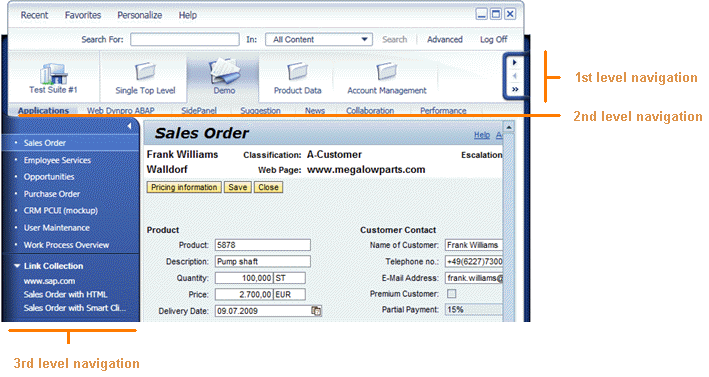 (Navigation levels)
The visual design of NWBC is called the signature design. It has two main goals: it harmonizes the look and feel of all SAP products and it enables a modern desktop UI that provides a high-fidelity user experience. Each application is similar to a picture in its frame. This is primarily achieved with a clasp on both sides of the screen around the content area. Modern concepts such as rounded corners on the desktop are used to achieve a more natural look and feel and trigger a positive emotional response. The left-side clasp can be used to collapse the navigation panel to provide more space for the content area.
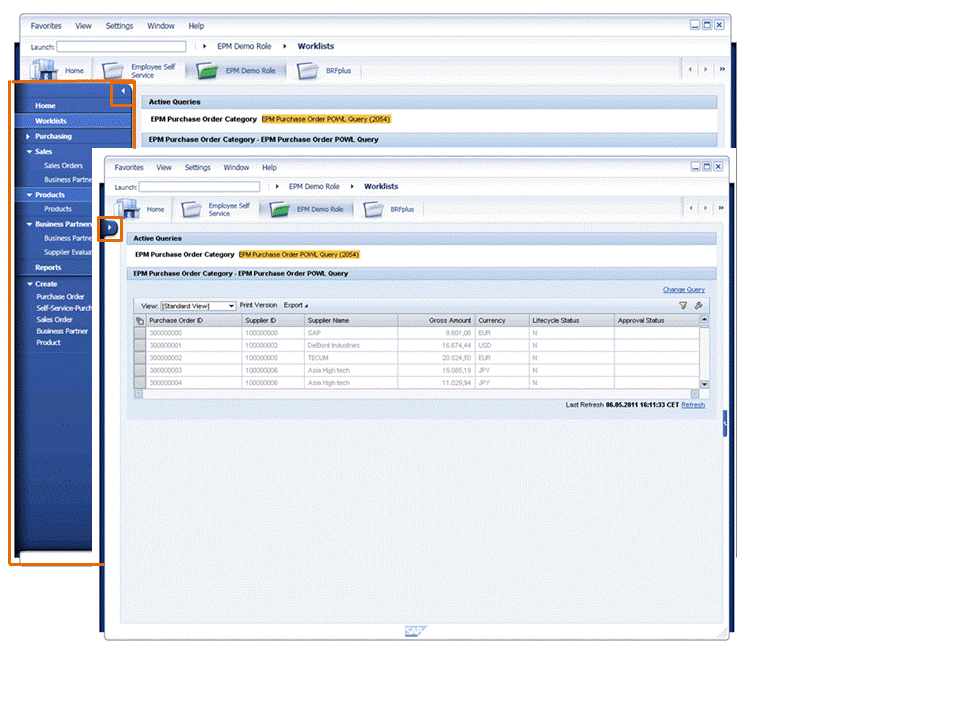 (Navigation panel and clasp)
The SAP home icon shows a modern office building. Clicking the home icon takes you to the home area.
If you double-click the logo at the bottom of the screen, a dialog box showing the current version of NWBC and the user name is displayed.
 (Example of version dialog box)