 Creating a Basic BSP Application

Creating a Basic BSP Application
Use
Let’s start with a simple example application. The application should look like this when displayed in the browser:
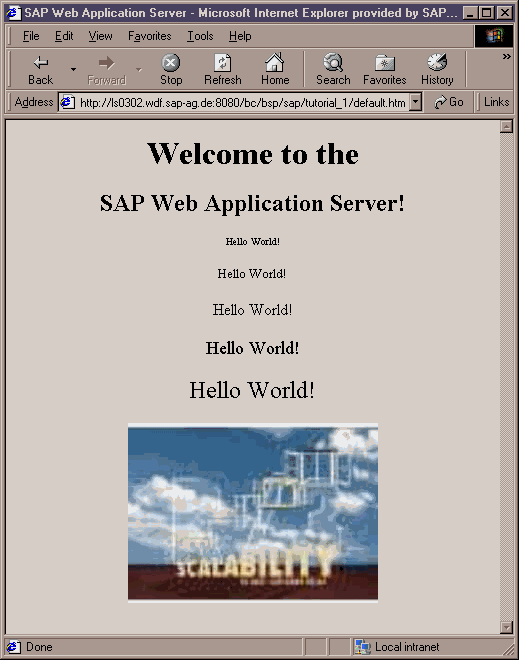
This basic BSP application consists of one page simply containing a heading, the words "Hello World!" in various font sizes (script code is used for this), and a MIME object (in this case, a .JPG graphic).

For background information on BSP applications, see the reference documentation under
Prerequisites
The prerequisites for creating Web applications with SAP Web Application Server are detailed under
Prerequisites for Creating Web Applications.Procedure
The following sections explain all the steps you need to take to create your application. The steps are as follows:
Creating a BSP Application Creating a BSP Creating the BSP Layout Importing a MIME Object from the MIME Repository Activating the BSP and the BSP Application Calling a BSP Application
 Start off with