Entering content frame

Procedure documentation Creating a BSP Locate the document in its SAP Library structure

Prerequisites

You want to insert a BSP into your BSP application.

Procedure

To create a BSP, proceed as follows:
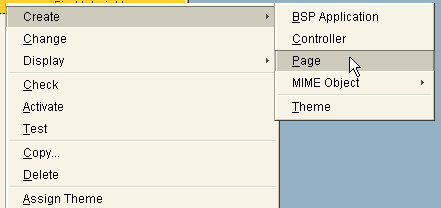
  1. In the Web Application Builder, position your cursor on the empty BSP application and, using the right-hand mouse button, choose Create ® Page from the context menu.
    This graphic is explained in the accompanying text
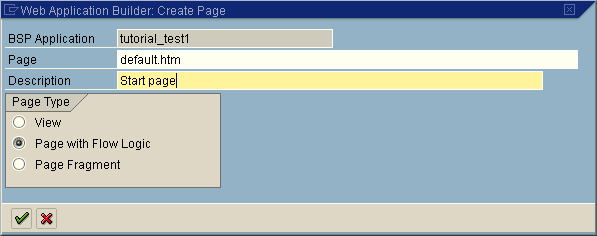
  2. In the following dialog box on your page (with flow logic), enter the name and a short description of the page:
    This graphic is explained in the accompanying text
  3. Choose This graphic is explained in the accompanying text.
  4. Choose This graphic is explained in the accompanying text
.

Result

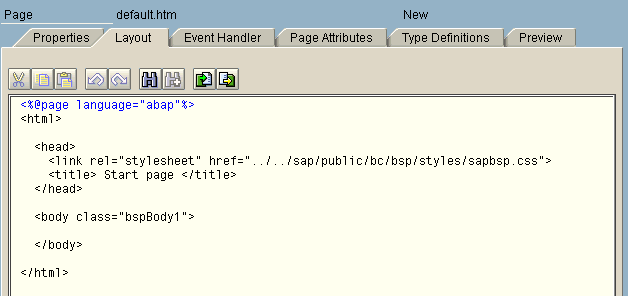
You have now created a page with flow logic for your BSP application in the Web Application Builder. A layout framework is displayed:
This graphic is explained in the accompanying text

This graphic is explained in the accompanying text Now go on to creating the layout: Creating the BSP Layout.


Note

You can find background information for understanding BSP applications in What is a BSP Application?

Leaving content frame