Select Block (Function) 
VerschiebenSelect block
is a function the user can choose to process tables or lists. With the function Select block, the user can select any block within a table/list as illustrated in the following figure.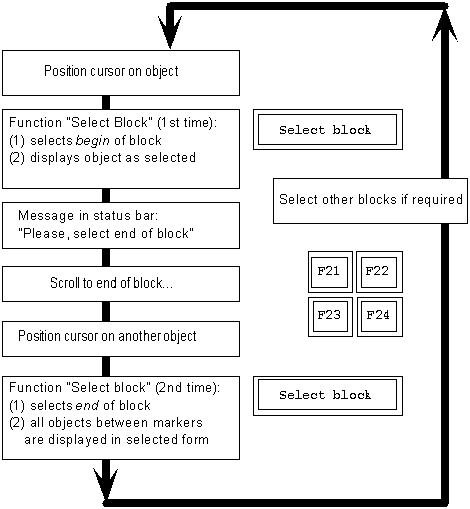
- If two blocks overlap, the objects "selected twice" remain selected.
- Choosing any other function - except for scrolling - between the first call of the function Select block and the second call cancels the block selection mode and cancels the selection of the object at the beginning of the block. Already selected objects remain selected.
- Existing selections can only be reset together or individually but not in blocks. To allow resetting of blocks, the block selection function must be able to select or deselect depending on the select state of the object, as the
Select/Deselect (Function) function does with individual objects. In this case, however, you would not be able to select overlapping blocks.
For a selected object, the user can then initiate a function with the function keys, menu options or pushbuttons. This can, for example, be the function
Copy (Function),
Move (Function) or
Delete or Delete <object> (Function).
Access
Function Key
|
Pull-Down Menu
|
Pushbutton
|
Access Character |
Icon
|
The function key can be defined freely |
Edit |
Application toolbar: in the block of the self-defined function keys |
B for Select block (default) |

|
Cross-References
Application Toolbar (Control Element)
Copy (Function)
Delete or Delete <object> (Function)
Edit (Menu)
Function Keys - Overview
Move (Function)
Select All, Deselect All (Functions)
Select/Deselect (Function)
Selection Methods - Overview