
Input/Output Fields (Control Elements)
Input/output fields are fields in the work area of a window into which the user can enter information or in which the system displays already known data.
Illustration
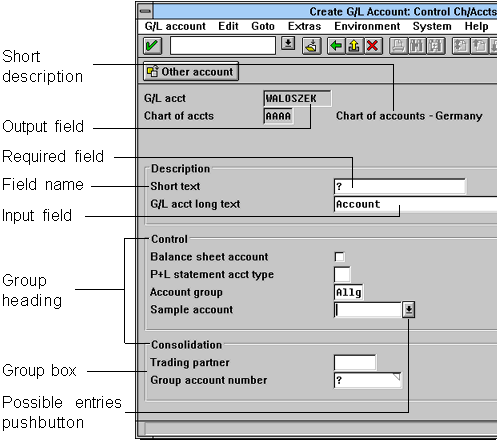
Screen with recessed input/output fields: input fields have a highlighted background, recessed output fields have the same color as the window background.
Required fields are indicated by a question mark. Check texts are input/output fields and are flat on the template.
A Possible entries pushbutton (non-permanent Possible entries pushbutton) is displayed for fields which support the Possible entries function, if the active control indicator is positioned on the field.
Matchcode fields under Windows have a colored triangle in the upper right corner.
Fields can be collated in group boxes which are identified by a group heading.
Purpose Appearance Design Guidelines Scrollable Input/Output Fields Technical Notes Overview of the Field Attributes Cross-References