
Overview of the Field Attributes
The following overview names the field type, the Screen Painter attributes, and shows examplarily the appearance of the field type (see the following illustration) for correctly set flags. Important criteria are "flat vs. recessed" and "proportional script vs. equidistant script". Foreground processing is displayed in bold.
Interface object |
Screen Painter flag to be set | ||||
|
E |
A |
FixA (1) |
Equid (2) |
Brigth | |
Input/output fields |
|||||
on screens |
(+) (3) |
(+) |
|||
Output fields (4) |
|||||
on screens |
(+) |
||||
Names and texts |
|||||
Static field name |
|||||
Dynamic field name |
(+) |
+ |
|||
Static pushbutton name |
|||||
Dynamic pushbutton name |
(+) |
+ |
|||
Static group heading |
|||||
Dynamic group heading |
(+) |
||||
Continuous text (for example, dialog box) |
(+) |
+ |
|||
Check text (after input) |
(+) |
+ |
|||
Check text in step loops |
(+) |
||||
Static column title (loop) |
+ (5) |
+ | |||
Dynamic column title |
(+) |
+ |
+ (5) |
+ | |
Legend
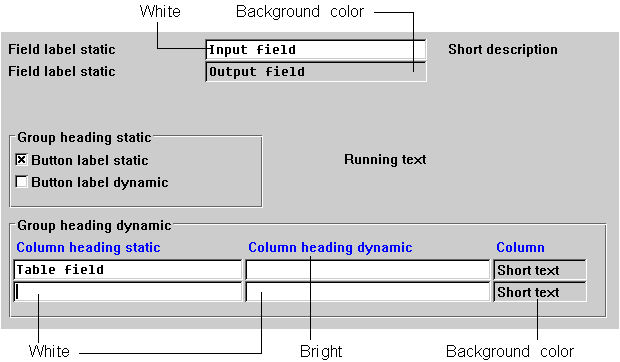
Appearance of the individual field types with correctly set Screen Painter flags