Working with Configuration Management
Working with Configuration Management
Purpose
This process gives a general overview of working with Configuration Management.
The sequence of work steps in this process can be used as an example. All work steps, with the exception of step 1 can be repeated as often as you like in each
Life cycle phase.Prerequisites
You have made the settings in Customizing for Configuration Management.
If you create Baselines, you must first set the status Relevant for Configuration Management in the material master records and document info records whose processing status you later want to reproduce.
Process Flow
You have an idea for a new product.
At this point in time, it is not necessary for you to have already created material master records or other data for the new product.
If you create a configuration definition, the system asks you to select a
The system automatically creates the first
Configuration folder in the first life cycle phase.First Configuration Folder in the First Life Cycle Phase
For example, this could be a material master record. If you have not yet created the material master record you can first create a
The system displays the controlled object at the head of the structure of the configuration folder (bottom left screen area – see
Navigation in the CM Workbench).See:
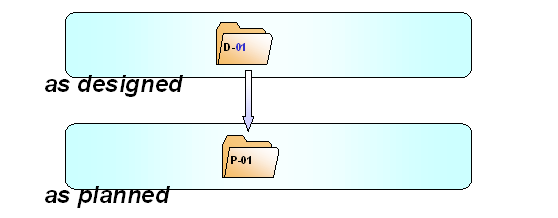
Entering controlled objectsSuccessor Folder in a New Life Cycle Phase
In each configuration folder, you enter the objects that describe the product in the relevant phase or version.
In various life cycle phases, a product or project is often described by different objects. Consequently, the configuration folders in various life cycle phases often contain objects of different types.

It is, for example, possible that a configuration folder in the specification phase only contains documents. In the design phase, materials and BOMs are often added. However, in the maintenance phase, a configuration folder principally contains equipment.
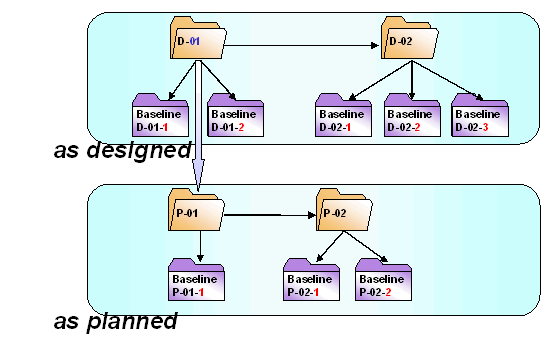
Successor Folders in the Same Life Cycle Phase
In a Baseline, you freeze the processing status of the product on a specific key date.
You can then reproduce the processing status of the product on the key date of the Baseline at any time.
Baselines from Various Life Cycle Phases
See:
Creating a Baseline