Creating Condition Tables

Use
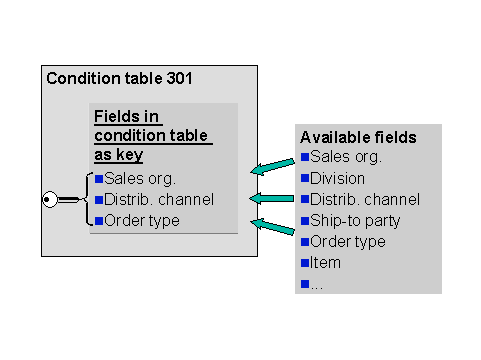
In the rules-based availability check, the condition tables contain condition records that you can use to find a specific rule. The condition records display keys of the fields that you have chosen from the field catalog.
At runtime, the condition records in the condition tables are read. The result is dependent on the fields selected in the field catalog.
Prerequisites
Before you select fields for the key, you must consider the following:
● The sequence of the fields
● The position of the fields as header or item rows in the corresponding fast entry screens of the Technical view (Creating Rule Determinations).
Procedure
...
1. Create a condition table in Customizing for SAP Supply Chain Management (SAP SCM).
For more information, see the Implementation Guide (IMG) for SAP SCM under Advanced Planning and Optimization → Global Available-to-Promise (Global ATP) → Rules-Based Availability Check → Define Condition Table → Create Condition Table.
2. Enter a three-digit table number.
Check if the condition table already exists.
3. Choose Enter.
The Features of Table dialog box appears. The Validity period indicator specifies if the condition table should receive a validity periodicity. You can reset the Validity period indicator.

The validity period refers to the condition record and is relevant to rule determination. It determines how long the condition record is valid.
4. Select Continue.
You branch to the Create Condition Table (Usage O Rules-based): Field Overview screen. The field overview is divided into the Selected fields and Field catalog frames.
5. Select the fields by double-clicking in the Field catalog frame. Each field that you select appears in the Selected fields frame.
6. Choose Condition à Generate.
Example