Booking a Flight Trip


Booking a Flight Trip
Purpose
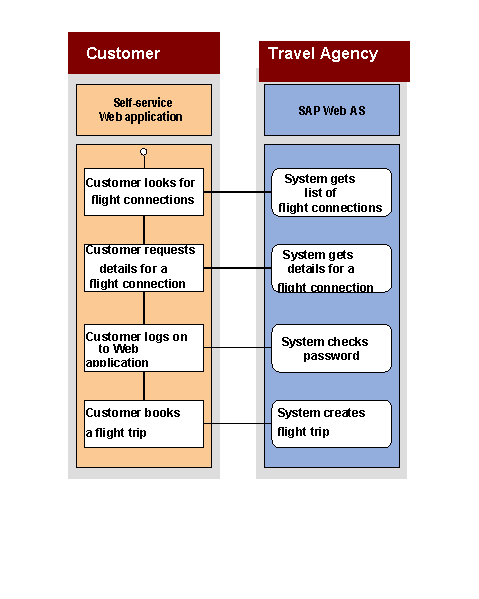
In this scenario, flight customers book a flight trip in the Web application of a travel agency. The flight customers first have to look for a suitable flight connection for the outbound flight and, optionally, for the return flight. Once suitable flights have been found, the customers must then identify themselves as customers of the travel agency before the flight trip can be booked. If they are new customers, they have to register with the travel agency and then each set up a Web user. If the customers have already registered, they have to log on as a Web user with the corresponding password (see also the scenario
Administration of Customer Data). The customers then have to enter the necessary information to book the flight trip (flight class, name, and date of birth of the passengers), and can arrange for the flight trip to be booked.Process Flow
Note: In the following graphic, only case c. is shown.
Result
A flight trip is created and a trip number is generated. When the flight trip is booked, the travel agency automatically ensures that all the required seats are booked with the relevant airlines.
Example
The scenario is illustrated in the following graphic.