
 Request for Nomination

Purpose
You can use this wizard to recommend (nominate) a user for a task.
Using the request for nomination you can assign users to tasks which must then select a person from its organization to participate in a work group. The user who selects people for a work group is called the nominator. A person selected for a work group is a participant.
Once the tasks are complete and the work group has been specified, the system automatically creates a contact list. The list contains the participants of a work group.
Process Flow
...
1. Choose Create Task.
2. Select Request for Nomination from the dropdown list.
Wizard Details
In the Tasks table you can see a description of the general parameters on the user interface. Additional parameters for nominating are described below:
Information About Nomination-Specific Parameters
Parameter |
Description |
|
Nominator |
Choose Select to search for users that are to be selected as nominators for the nomination process. |
|
Allow Nominators to Decline Request |
Decline to be the nominator. |
|
Nominees
|
Notify Nominees |
An e-mail notification is sent to nominees as part of the nomination process. If this option is not selected, nominees are not informed that they have been selected to participate in the group. |
Requires Nominees' Approval – Nominees receive an approval work item to confirm that they agree with being nominated. |
||
Features
You can configure the following:
● Allow users that have been selected as nominators to decline nomination request.
● Nominees receive notifications about their nomination.
● Nominees can either accept or decline nominations
● Contact list (collaboration contact record) is created
When a group is created, the group nominees are added to the contact list.
● The number of nominees required to complete the process.
Possible Steps for Nominees
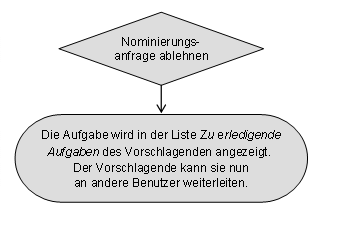
The following figure shows the possible steps for a nominee after receiving a nomination request.
● The nominee can accept the nomination.

● The nominee can decline the nomination.

This action is only possible if the nominator selected the Requires Nominee Approval option when creating the nomination.
Anonymous nominations cannot be declined.
For nominations that need to be confirmed by the nominee, declining or confirming a nomination completes an assigned step. The history log reflects the activities.
Example
● A user wants to create a work group that consists of representatives from different organizations. Each organization can nominate a person. A new distribution list is created. All those people nominated are added to the distribution list.
You can also assign the person group to a user group.
● Nomination task with three nominations which all three must complete.
In this case the task is complete when all three participants have completed their task. The completion of the task is not dependent on the task being confirmed or declined by the nominee. The history reflects the decisions of the nominee.
● A nomination task with three nominations of which at least two must agree.