
 User Interface

This section gives you information on configuring the user interface.
Application Window
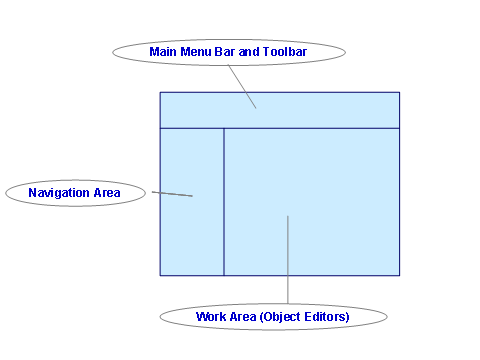
The application window consists of the following areas:
● Main Menu Bar and Toolbar
● Navigation Areasapurl_link_0002_0001_0006
● Work Area
The object editors are displayed in the work area. These object editors include functions that relate specifically to the objects that are open.
More information: Object Editor
The areas of the application window are illustrated in the following figure.
Access to Functions
You can call the functions in various ways:
● From the main menu bar or standard toolbar
● In the object editors
● In the navigation area from the context menu

More information about
accessibility:
 Notes on
Accessibility.
Notes on
Accessibility.
Navigation
The Integration Builder has various navigation options.
More information:
You can create system messages for all other Integration Builder users.
More
information:
System
Messages