 Overall Implementation Workflow
Process
To be able to implement the search, you must integrate SAP NetWeaver Enterprise Search in your system landscape after installation and create a connection between the required search providers and SAP NetWeaver Enterprise Search.
Implementation Workflow
You integrate SAP NetWeaver Enterprise Search in you system landscape; this includes the following tasks:
Configuring user management
Applying customer-specific security settings
Setting up the system for automatic updates
A business specialist connects the required search providers to SAP NetWeaver Enterprise Search to enable searching of the relevant systems. This includes:
Optional: Creating search object connector templates.
This is only necessary if the predefined SAP templates do not fit the customer's requirements.
Preparing the search providers to be connected to SAP NetWeaver Enterprise Search
Connecting the search providers by creating search object connectors
 Note
NoteSAP NetWeaver Enterprise Search comes with predefined search object connector templates for connecting search providers to SAP NetWeaver Enterprise Search. For more information, see Search Object Connectors Templates.
End of the note.
The following figure illustrates the implementation process:
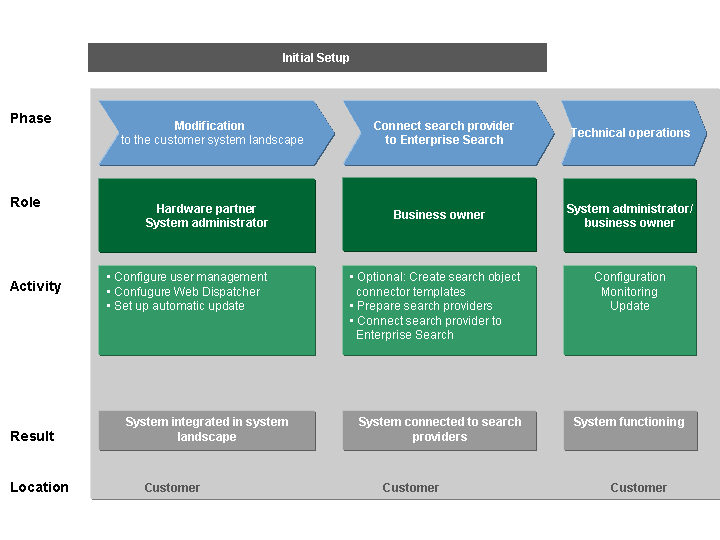
Implementation of SAP NetWeaver Enterprise Search at the Customer Site