Defining the Positioning of the Settings Dialog Box
Some UI elements for standard ALV functions are located in a special area - the Settings dialog box.
The Settings dialog box is displayed above the ALV display by default when the user clicks on Settings in the toolbar.
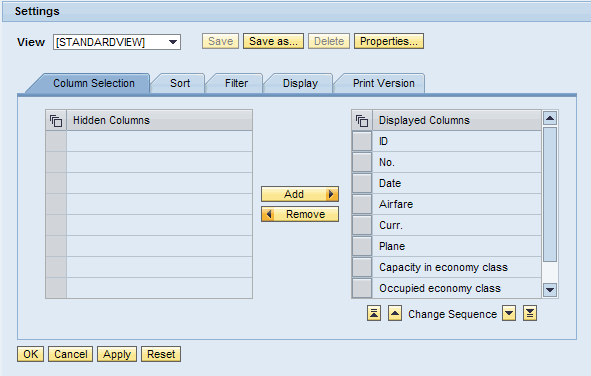
You have different options for adapting the positioning of this dialog box for your application:
-
You can place the interface view SERVICE in the required position in your application.
For more information: Embedding ALV Views
-
You can specify whether the dialog box is to be displayed as a modal window, that is, as a popup window in front of your ALV display:
Display the dialog box as a popup
-
Use the method SET_DIALOG_SETTINGS_AS_POPUP of the interface class IF_SALV_WD_STD_FUNCTIONS with parameter ABAP_TRUE . No further steps are required.
Check whether the dialog box is displayed as a popup
-
Use the method IS_DIALOG_SETTINGS_AS_POPUP of the interface class IF_SALV_WD_STD_FUNCTIONS .