
 Editing
Record Details
Editing
Record Details

As you make search selections, the set of matching records appears automatically in the Records pane. Selecting a record in the Records pane displays the record’s data in the Record Detail tab, where you can edit record information (figure below).
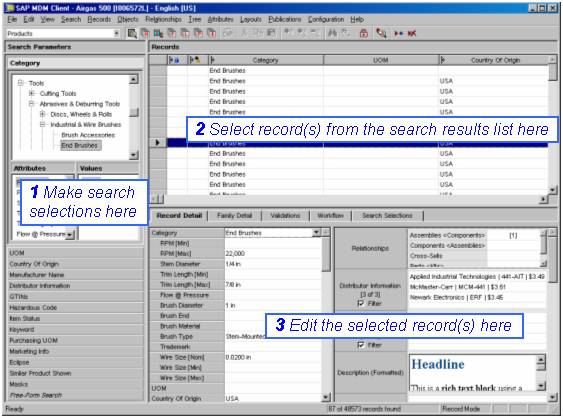
The following sections describe how to edit the various field and attribute types available with MDM.

Once you edit a record, the record must be saved before the changes are applied in the repository (see Saving and Restoring Records for more information).
See Working with Objects for information about editing object lookup tables and fields.
You can use role-based privileges to decide whether users must check out records before editing them.