
 Image
Lookup Cells
Image
Lookup Cells

An example of an image field is shown in the following figure. You can link one or more images to an image lookup field by double-clicking on the cell in the Record Detail tab to open the image selector dialog (see The Object Selector Dialog at a Glance).
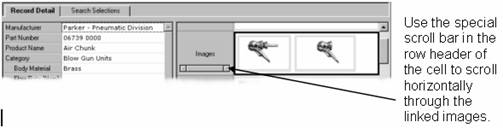

To change the row height of the cell, drag the row splitter up or down. As you change the row height, the thumbnail of each image is automatically resized to fit vertically in the cell.
You can also right-click on the image field and, without even entering the image selector dialog, choose from the context menu to perform various functions, some of which cannot be performed from the main menu.