2.5 Multi-Windows 
By default, new applications are loaded in the content area of the main window. The transaction is started with a simple click.
 (Shell window and application window)
Application Window
You can start an application in a separate window (application window) as follows:
By choosing Open in New Window from the context menu of a menu item that does not have further navigation levels below
With SHIFT + click on a menu item that does not have further navigation levels below
Shell Window
If you would like to start a different navigation sequence to a new application without being forced to close your current application, you can open a new shell window as follows:
By choosing Open in New Window from the context menu of a work center or menu item that has further navigation levels below
With SHIFT + click on a work center or menu item that has further navigation levels below
If you open a new shell window by choosing  Window
  New Window
  from the menu, it opens the home work center by default.
Window Manager
You can open several separate windows. If you have activated the window manager option, the window manager helps you find your way by controlling the appearance and placement of the different NWBC windows. From the menu, choose Window Window
Manager . For more information, see 3.4.4 Configuring Personalization Settings.
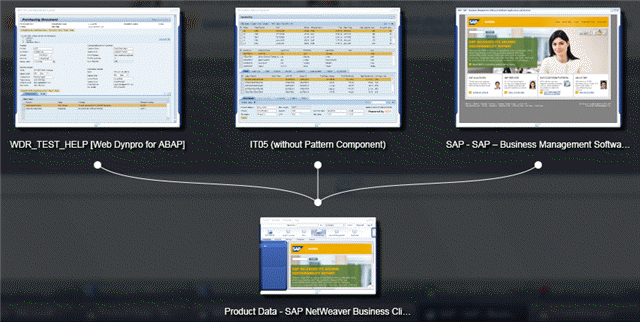 (Window manager example)