Working with Central ATC Results
Your quality manager can run central ATC checks on the consolidation or test/quality system in your development environment.
The QM can publish this central ATC result to your development system as the currently active result.
You can work on this central result in the ATC Result Browser in transaction SE80. Use the central result to clear findings that the QM has found in your master system. You can also request exemptions for central findings that you can not fix.
To work with central ATC results, do the following:
In your development system, start transaction SE80 and switch to the ATC Result Browser.
Be sure that the selection field in the navigation panel is set to Central check runs (by system).
If the quality manager has published a current active result to your system, then this result is marked with a light-bulb icon.
There can be only a single active result in your system at any one time.
Open the currently active results. The result opens to show findings for repository objects that belong to you, unless you have chosen a different setting for the ATC.
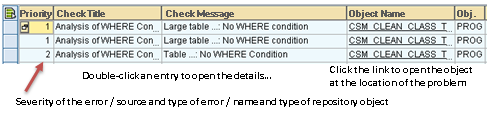 Figure 1: ATC Findings LIst
Open the Details to work with one of your findings.
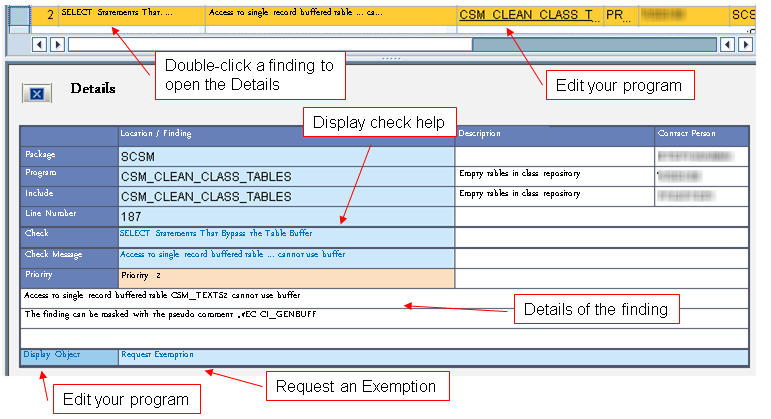 Figure 2: Working with the Details of a Finding
From the Details, you can do the following:
See the exact details of the finding
See documentation on the finding and how to fix it
Open an editor at the location of the problem in the finding
Request an exemption for findings that you cannot correct.