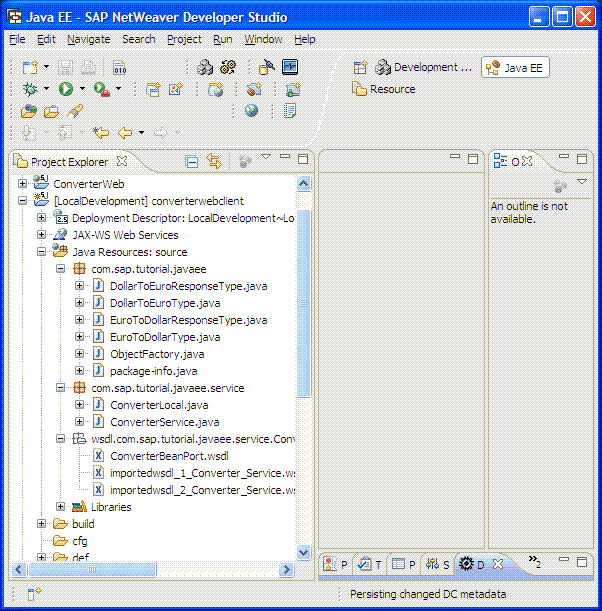
Generating the Converter Web Service Proxy
You create a Web service proxy to establish a connection between the Web service and the Web service client. The Web service proxy is an interface. The client uses this interface to consume the Web service.
Procedure
In the Project Explorer, expand the converterwebclient project.
Right-click ConverterBeanPort. wsdldocument, and then choose
 Web Services
  Generate Client
  .
.The Web Service Client wizard opens.
Move the slider to Develop client position, as shown in the figure below.
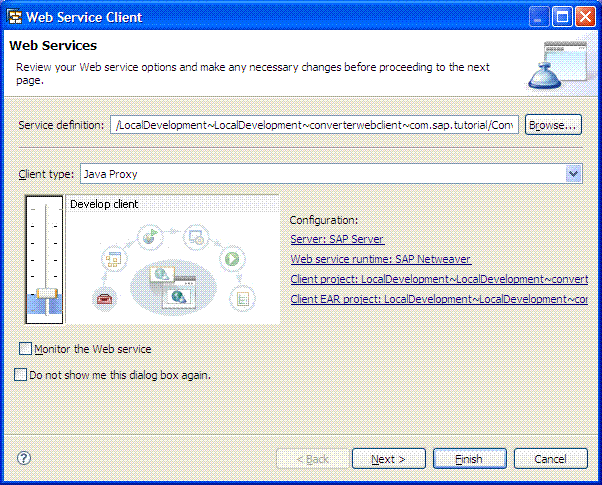
Choose Next.
The Client Generation Configuration screen opens.
Make sure the Output folder field contains the package source folder of the converterwebclient project and the following options are set:
Select Customization Level
Resolve collisions automatically
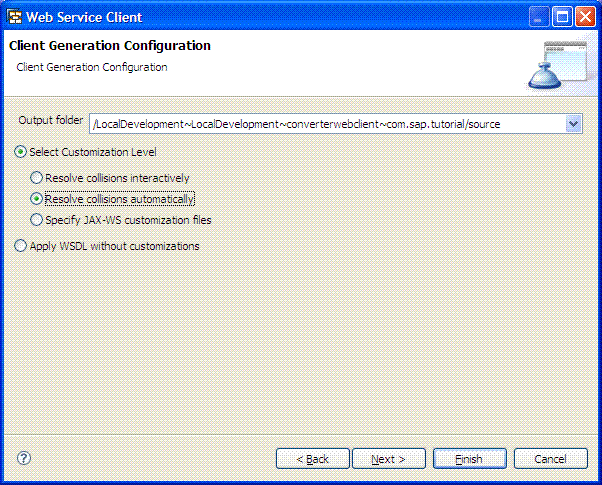
Choose Finish.
Result
The system generates the Web service proxy. The Web service proxy files appear in the Java package folder of the converterwebclient project.