
 Creating an External Window
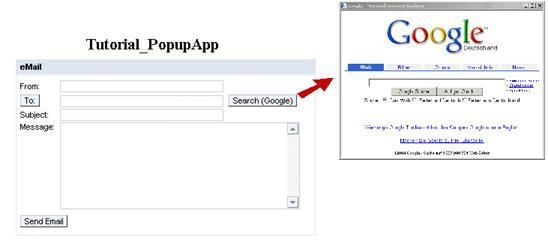
You want the web page http://www.google.de to be displayed in an external window when you choose Search (Google).
Procedure
You want the external window to be displayed when you choose Search (Google). In the procedure below, you assign the action ShowGoogleWindow to the pushbutton Search (Google).
Creating an Action
...
1. Define the action ShowGoogleWindow in the EmailView controller:
Name of the Action |
Without Validation |
Event Handler |
ShowGoogleWindow |
unchecked |
onActionShowGoogleWindow |
Binding the Action to the Pushbutton
The e-mail input form is displayed in the EmailView of the Web Dynpro component PopupComp.
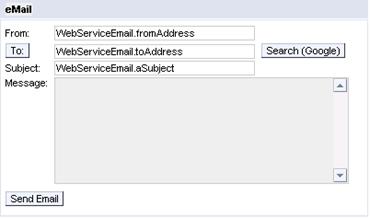
2. Bind the action that you defined earlier to the pushbutton Search_Button:
UI Element Name |
Event Name |
Action |
Search_Button |
onAction |
ShowGoogleWindow |
Implementing the Action Handler
3. Choose the Implementation tab page and add the following program code to the method onActionShowGoogleWindow().
onActionShowGoogleWindow() |
public void onActionShowGoogleWindow( com.sap.tc.webdynpro.progmodel.api.IWDCustomEvent ^ wdEvent ) { //@@begin onActionShowGoogleWindow(ServerEvent) IWDWindow window = wdComponentAPI. getWindowManager().createExternalWindow( "http://www.google.de", "Google - Search for an email address", false); window.open(); //@@end } |

You use the method createExternalWindow(java.lang.String URL, java.lang.String title, boolean modal) to create the external window from IWDWindowManager.
Result
You have enhanced the existing Web Dynpro application to display an external window.
Next step: