2.5 Multi-Windows 
By default new applications are loaded in the main window canvas. With a simple click the transaction itself is started. With shift+click on a menu item an application can also be started in a separate NWBC window, as in the browser. NWBC thus fully supports a multi-window paradigm.
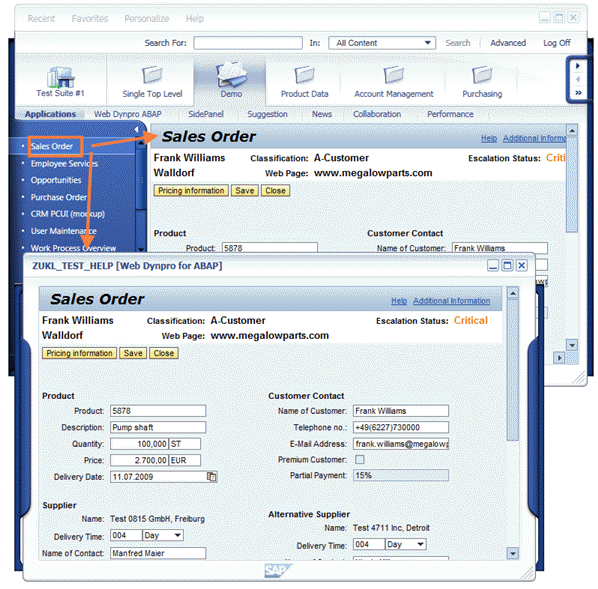 (Click and Shift+click)
You can open several separate windows. If you have activated the Window Manager option, the window manager helps you find your way in that it controls the appearance and placement of the different
NWBC windows. Choose  Help
Help  Open Window Manager
  .
.
 (Window manager example)