2.7 Search 
 (Example of Search)
A search function is always available in the top area of the Business Client. There are three types of search:
Enterprise search: Integration of SAP Enterprise Search, if configured (available from SAP NetWeaver 7.02 onwards).
External search: Search providers that have been configured in advance via the search provider settings for the client or in PFCG (5.9 Menu) for the server.
Desktop search: Standard Microsoft search option that is always available with Microsoft Vista and that is an optional installation component of Microsoft XP with service pack 2.
In Search For: enter the search term and choose Search. To further refine the search, select a category where the search should be carried out via the F4 help on the In: field. Then the text search is carried out in the category specified.
If you just choose Search without entering a search string, then the search dialog is displayed in a separate window.
The categories that are shown have been configured for the client in the search provider settings and for the server in PFCG (5.9 Menu). You can either select an entry in the dropdown list for the categories, or use the keyboard to enter a search term. For example, if you type in a b, the first entry that starts with B is automatically selected. The search results are listed in the separate search/results window. In the results window you can see the status of the search, the search query URL as well as further information on the separate search results.
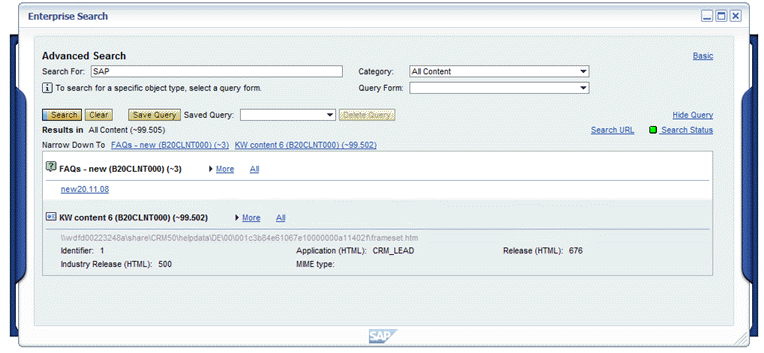 (Example enterprise search results)