3.4.2 Configuring Search Providers 
By default NWBC will load a list of search engines from the server if configured (see chapter 5.9 Menu). However, it is also possible to locally configure additional search engines that can then be used exactly in the same way as the other search engines integrated (for example the desktop search). For each search provider, it is only possible to define the startup URL that should be called with the query string. Such a search engine will then be started in a new window.
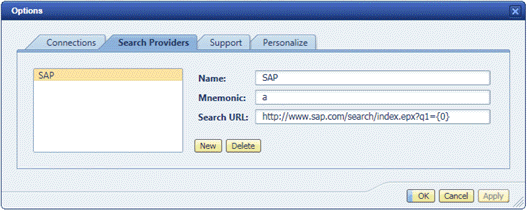 (Example of Search Providers)
Name |
Description |
|---|---|
Name |
The name of the search engine that is integrated. This is the name that will be displayed in the list of all search providers. |
Mnemonic |
Shorthand symbol that can be selected as search location in Quick Launch. |
Search URL |
The URL that is used to start the query on the search engine. It must be the full URL as it would usually also be entered in a browser to start a query. Use the sequence {0} within the URL to mark the position where the search string should be placed. For example: http://www.sap.com/search/index.epx?q1={0} |
In the Business Client menu your search providers are integrated in the standard search menu.
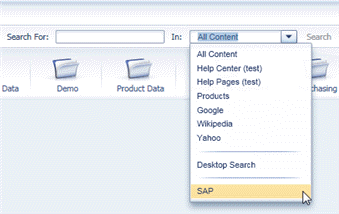 (Example search)
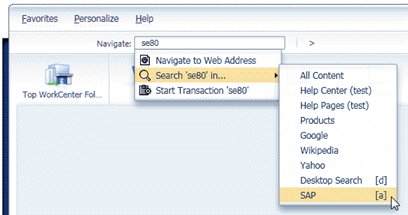 (Example search via Quick Launch)