
 Creating Service Files Manually
Use
You use this procedure to create
service files manually.
Prerequisites
There must be a user in the R/3 System which your service is using.
Procedure
Choose File
®
New and select the Files tab.
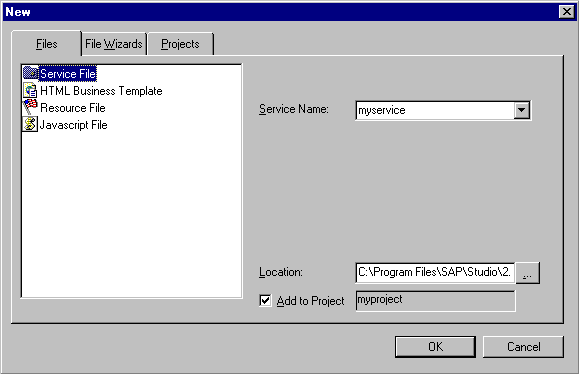
Select Service File.
In the Service Name field, enter a name for the service.
Add the file to the current project or choose a different location:
- To add the file to the current project, ensure that Add to Project is selected.
- To add the file to a different location:
- Deselect Add to Project.
- If you want to specify a project other than that displayed in the Location field, enter the desired project or browse to find a project.
- Choose OK.
Result
The SAP@Web Studio:
- Creates an empty service file called
<service>.srvc
and displays it in the
Workspace – Project View at the specified location
Opens it for editing in the
grid control editor
Remember that the parameter values you specify in service-specific service files always override the default parameter values in the global service file
global.srvc
.
When you have created a service file,
create at least one theme. You can then
create HTML templates.