

 Assignment objects
The function described in the following has not been released for Release 4.62. This is only an interim solution that will be replaced with similar functions at a later date.
Using the definition of assignment objects in the
Budget Structure you can define on which level the assignments are to be checked against the budget. The definition of assignment objects only makes sense if the assignment level is meant to be above the budget level.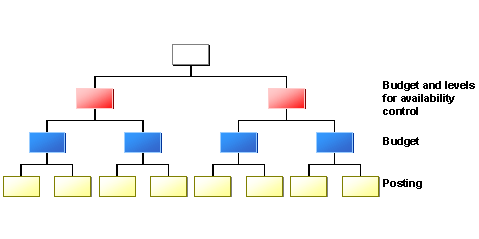
What should you pay attention to when defining assignment objects?
What do you have to do after defining assignment objects?
If you receive error messages regarding missing assignment objects, you must enhance the missing assignment objects and subsequently restart Reconstructing assigned values.
The following examples show how you correctly define assignment budgets in varying scenarios.
Assignment Objects Without Budget Objects Assignment and Budget Objects in Local Budgeting Assignment and Budget Objects in Central Budgeting