Entering content frameProcedure documentation Creating ITS Projects Locate the document in its SAP Library structure

Use

You use this procedure to create a project.

Procedure
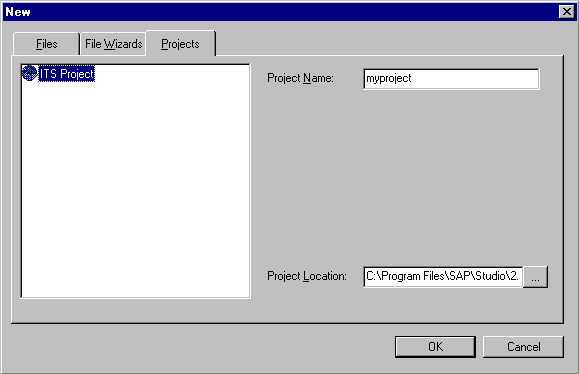
  1. Choose File ® New and select the Projects tab.
  2. This graphic is explained in the accompanying text

  3. Enter a project name.
  4. If you want to create the project at a location other than the default location, go to the Project Location field and browse to the place where you want the SAP@Web Studio to create the new project.
  5. Choose OK.

Result

The SAP@Web Studio displays the new project in the Workspace – Project View.

Unless you have specified a different default project directory, the SAP@Web Studio creates a project directory called <project> and a project file called <project>.itsp on your hard disk under:

C:\Program Files\SAP\Studio\2.0\bin\<project>\<project>.itsp

Leaving content frame