

 Specifying a Default Project Directory
Use
You use this procedure to specify a default project directory to store Internet Transaction Server (ITS)
files in the SAP@Web Studio during development.The default project directory is the default location on your hard disk for all the projects you create in the SAP@Web Studio, but you can specify a different directory if you like.
C:\Program Files\SAP\Studio\2.0\bin\
You can also specify that any files you remove from the project hierarchy in the project workspace should also be deleted from the hard disk.
Procedure
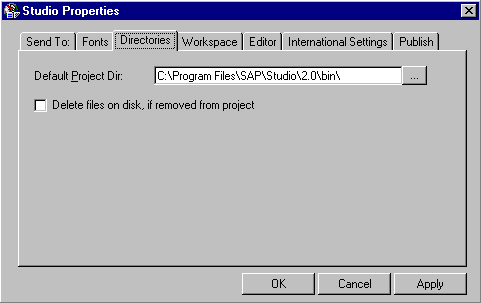
The SAP@Web Studio uses the specified directory to store all projects.