

 Replication Workbench
Use
The replication workbench is an integrated working environment for the distribution of
product data. On a uniform user interface, you have access to all the functions you need to control and evaluate product data distribution.Features
The following screen areas are available for working with the replication workbench:
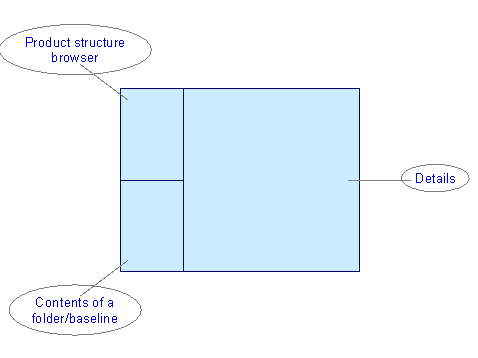
Product Structure Browser
Here, the selected objects are displayed. Starting from these objects, you can navigate within the product structure.
The Icons You Need to Know
|
Icon |
Description |
What You Need to Know |
|
|
Configuration definition |
You can group together several related configuration folders in a  configuration definition. configuration definition. |
|
|
Configuration folder |
In a configuration folder, you define a product to be distributed. Here, you register the logical systems to which the product is to be distributed, and the users that are to be informed of new product versions. |
|
|
Baseline |
In a baseline, you group together the objects that are to be distributed. A function for explosion of the product structure supports you here. |
|
|
Distribution order |
You use a distribution order to control the distribution of product data to one or more recipients. A distribution order can contain several distribution packets. |
|
|
Distribution packet |
A distribution packet controls the distribution of baselines to a specific logical system or the distribution of documents to a specific recipient. By double-clicking on a distribution packet for a logical system, you display the ALE distribution unit. |
By double-clicking on the icons, you display detail information in other screen areas. Use the right-hand mouse button to click on the icon, to display the context menu with additional functions for the object (see also
Product Structure Browser).
When you create new objects, you can choose the  pushbutton to refresh the screen.

In this screen area, the status of distribution orders and distribution packets is also displayed. Here, you always have an overview of how far distribution has progressed in the different systems.
See:
Status of Distribution Orders and Distribution PacketsContents of a Folder or Baseline
Here, the structure of a configuration folder or baseline is displayed with all the objects it contains.
Details
By double-clicking on an object in the product structure browser, you display its detail data in the right-hand screen area. Here, you can display and change configuration folders, baselines, distribution orders, and ALE distribution units.


