

 Adding Fields to a SAP-Provided Segment
Purpose
The
data segments provided with DART define the data that can be extracted with DART. The provided segments contain specified fields from certain tables from various R/3 application components, such as Financial Accounting (FI), Controlling (CO), and others.You may wish to add related data from fields that are not included in those segments.
This process describes how to add fields into those predefined data segments.
Prerequisites
The data segments into which you are adding fields must exist as part of the set provided by SAP. To add fields into a customer-defined segment, that is, a segment that you or someone else has added to DART, it is easier to do so when
adding the segment.Process Flow
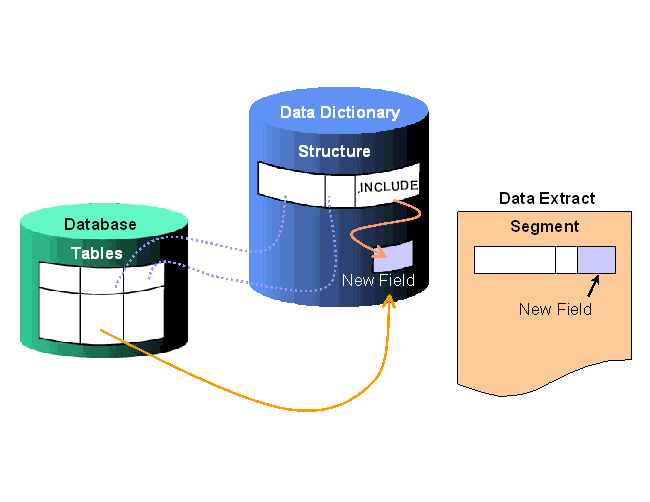
The following diagram summarizes the process of adding fields to a SAP-provided segment:

Every data dictionary structure corresponding to the DART segments has an empty INCLUDE structure. The names of these INCLUDE structures start with CI_. You can add fields to such a data dictionary structure by adding fields to the INCLUDE structure.
If any one of the above conditions does not apply, then you need to