Working With the Object Manager
Purpose
The
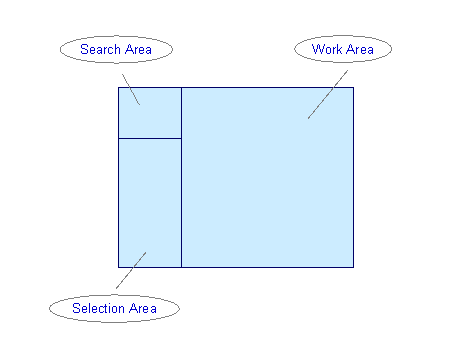
Object Manager is a standardized, user-friendly feature for finding and selecting objects. In Personnel Development, the Object Manager is used to call up Profiles and the Find Objects for Qualifications search function. The user interface of these transactions is made up of several screen areas, each of which has specific functions:Together, the Search Area and Selection Area make up the
Object Manager. In the Work Area, you can execute transaction-specific functions for the objects selected.
In the Search Area, the objects you last processed are called up automatically (albeit for a new key date, if applicable).
Prerequisites
Before you start working with the Object Manager, you should familiarize yourself with the
validity concept.Process Flow
Steps in a typical process flow might be as follows: