

 Retrieving Archived Data
Procedure
Result
The archived data is retrieved into special temporary retrieval tables in the R/3 database, as illustrated below:
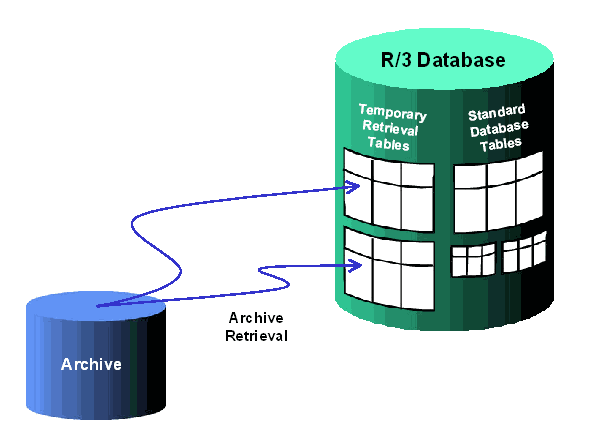
From these temporary retrieval tables, the data is available for extraction with the
extract utility.See Also:
Archive Retrieval, Clearing Retrieved Archived Data