 Totaling Up Budget Values
Totaling Up Budget Values
Use
If you have allocated budget to subordinate funds centers and commitment items, you can total up the budget values.
The budget values for a funds center or commitment item are totaled up, that is the system totals them up for the superior level and displays them there. During this process, budget values which already exist in the superior funds centers or commitment items are overwritten by the distributed value, that is by the total of the subordinate level budget values actually distributed.
Totaling Up Budget Values
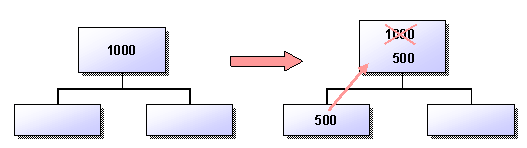
Totaling up budget values and Add changed values
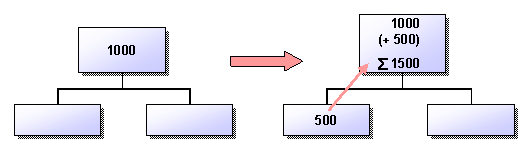
If you increase or decrease the budget in a lower level by a given amount, you can choose Total up and Add changed values to increase or decrease the budget values in the superior levels from this point upwards by exactly this amount.
Activities
If you have not set up the whole hierarchy for budget allocation, the budget values in the subordinate funds centers or commitment items are only totaled up as far as the initial items you chose. If you want to total up the budget values right up to the top node, you must start the program for totaling up the budget after you have allocated your budget. This program always processes the current budget. For more information, see
Totaling Up Budget Values in Batch .