 Search
Search
Use
You can use the "Search" function to search the SAP system for a material master record.
Menu path:
SAP ® Material ® SAP Material ® SearchThe following dialog box will appear:
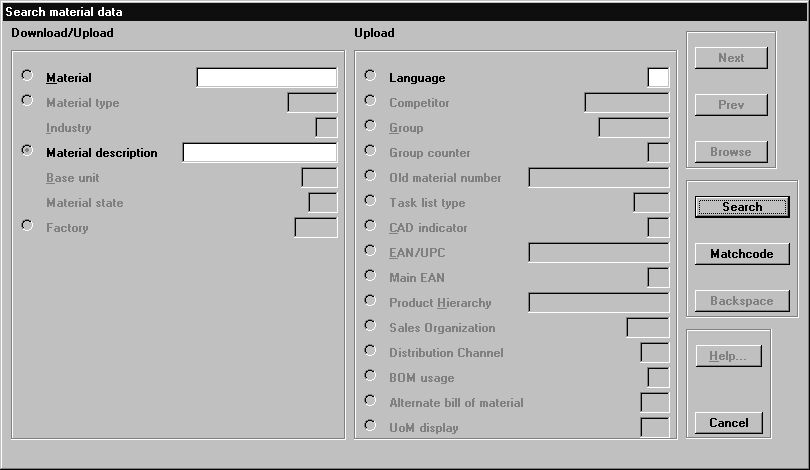
Description of the dialog box:
The SAP field contents of the records founds are displayed on the left-hand side of the "Material Matchcode Search" dialog box. The fields used for the matchcode selected are active, and you can enter search criteria in them. The right-hand side of the dialog box contains the SAP fields where you can enter search criteria for the matchcode in question. The active fields may already contain default values from various sources:
See also:
: Installing PDM Integration for AutoCAD and Making Configuration Settings in AutoCADIf applicable, the values in the fields of the dialog box can be overwritten in this order.
Function |
What the function does |
Cancel |
Terminates the function "Search for Material Master Records in the SAP System". |
Matchcode |
If you click the "Matchcode" button, a dialog box appears displaying a list of the matchcodes available (this will depend on the configuration). |
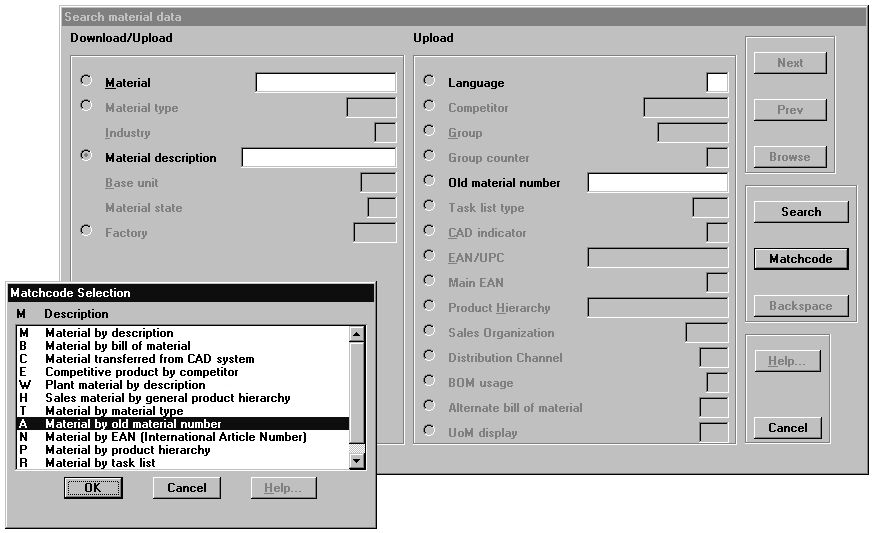
Description of the dialog box:
The SAP fields used for the matchcode selected are activated automatically in the large dialog box at the back. This enables you to browse through the matchcodes available and select the most suitable combination of fields. You specify which matchcodes are available when you configure the AutoCAD-SAP interface. Each combination of fields includes one index field (marked by an activated radio button). You MUST enter a search criterion in this field. Once you have selected a suitable matchcode, you can enter the search criteria in the active fields.
Function |
What the function does |
Search |
Starts the function "Search for material master records in the SAP system". |

 If no records matching the search criteria are found, a message to this effect will be issued:
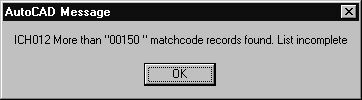 If more than the maximum number of material master records specified are found (you can specify this number in the SAP system), you are notified of this, and the search process is interrupted.
 At this point, you can either cancel the search, or continue with the search.
Function |
What the function does |
Cancel |
Terminates the search process. You may work with the master records already found. |
Search |
The search is continued. |
If, when you continue the search, the maximum number of material master records is exceeded again, you are notified of this, and the search process is interrupted again. In our case, we might get the following message: "More than 00200 matchcode records found. List incomplete." If this happens, repeat the procedure described above. You can repeat this procedure until the number of new material master records found no longer exceeds the maximum record number.
The search is language-independent, and is run for all material master records in the SAP system (i.e. it makes no difference which language you used to log on to the SAP system). If you want to run a language-dependent search, select a matchcode that allows you to use the language as a search criterion.
If the search was successful, i.e. a match was found, the number of material master records found will be displayed in the bottom left of the dialog box. If more than one record is found, the contents of the first record are displayed in the dialog box.

Function |
What the function does |
Backspace |
Use the "Backspace" option to discard the search results and start a new search. The search criteria for the last search are deleted. |
Next |
If more than one record was found, use the "Next" button to display the next record found. |
Prev |
If more than one record was found, use the "Prev" button to display the previous record. |
Browse |
If more than one record was found, use the "Browse" button to open a dialog box displaying a list of all the records found. |

Description of the dialog box:
You can use the scroll bar to quickly browse through the records in the dialog box. The entry you select is then displayed in the large dialog box at the back.
See also:
SAP Material Master Record