 Entering a Vendor Billing Document and Creating Follow-On Documents
Entering a Vendor Billing Document and Creating Follow-On Documents
Purpose
You can enter invoices and credit memos in a vendor billing document for a business partner without referencing an invoice.
The following processes describe the steps involved in entering a vendor billing document and creating follow-on document for payment processing in Agency Business.
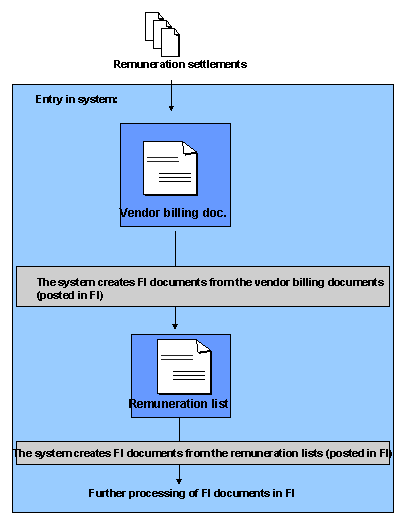
Process Flow
For further information, see
Creating Vendor Billing Documents.For further information, see
Posting Documents.For further information, see
Creating Remuneration Lists.For further information, see
Results
The documents are transferred to Financial Accounting for further processing (such as a payment run).