Understanding the Single Catalog View
Users in organizations that have a standalone SAP Datasphere setup can access the catalog from the local SAP Datasphere system that hosts the catalog. This setup provides a single catalog view.
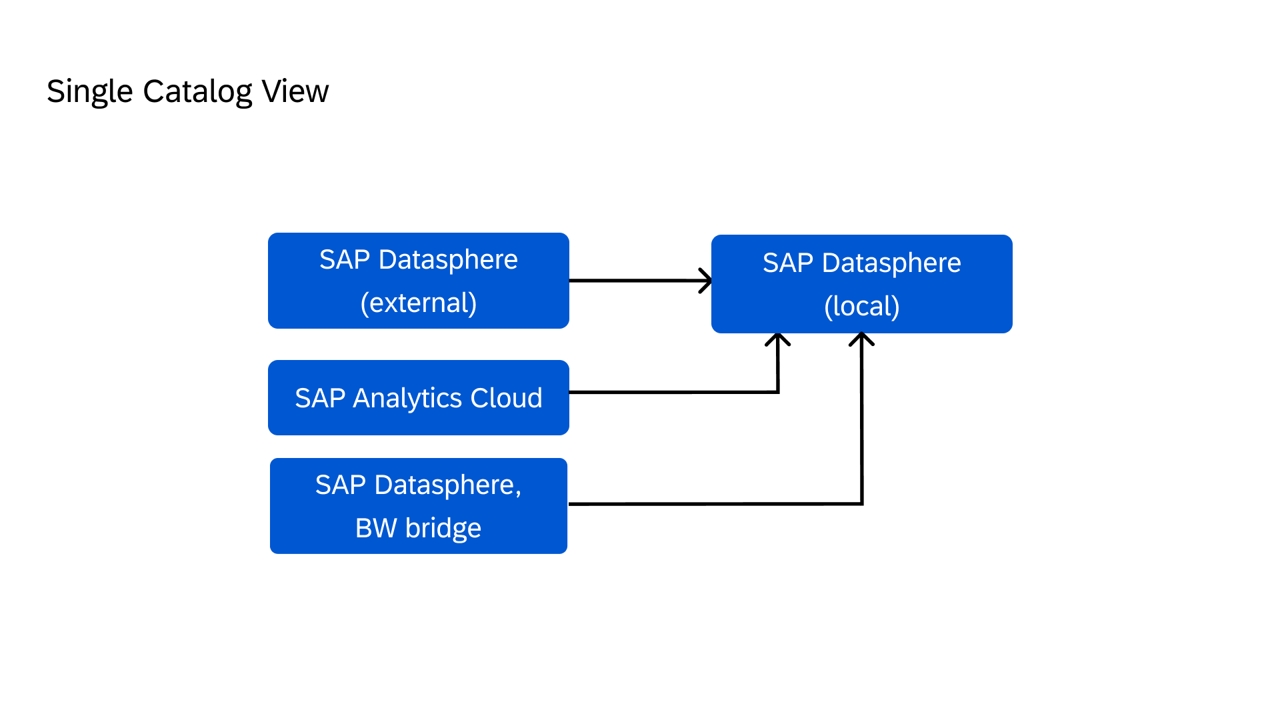
In a scenario where you have a single catalog view, you access the catalog from a standalone SAP Datasphere system. Your organization's landscape consists of the following systems:
-
At least one SAP Datasphere system
-
Any number of SAP Analytics Cloud system
-
Any number of SAP BW systems (for example, SAP Datasphere, SAP BW bridge or SAP BW∕4HANA)
From the standalone SAP Datasphere system, you access the catalog and add connections to the SAP Datasphere (both local and external), SAP Analytics Cloud, and SAP BW systems. Once these systems are connected to the catalog, you can access the catalog from the local SAP Datasphere system to monitor and manage the source systems. You can also perform other tasks, such as:
-
Monitor and manage the metadata extraction for all source systems
-
Create and manage tags
-
Create, manage, and publish glossaries, terms, and key performance indicators (KPIs)
-
View and enrich assets, and publish them
The following image is an example of how source systems are connected to the local SAP Datasphere system.