 Catalog Selection for Editing
Use
Using this function you can select precisely which catalogs are to be displayed in the extended price catalog editing. Following this selection you go directly to price catalog processing.
This catalog selection also provides an overview of the selected catalogs and a preview of the relevant catalog items.
Using various defaults, you can control, for example, which catalog groups (and thus which employees) are assigned to which catalogs for editing. You can also restrict the selection to catalogs that are contained in your workflows.
Features
Screen sections:
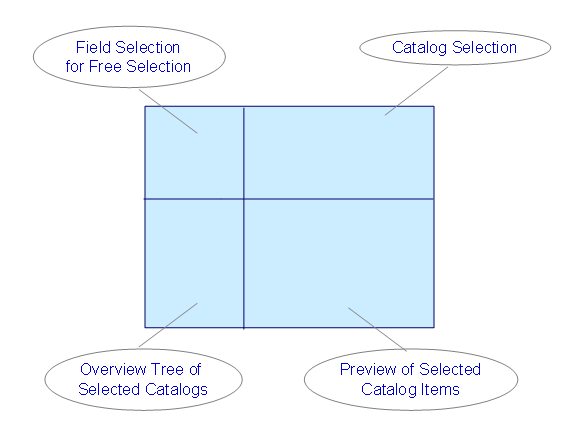
In the upper left screen area you make the field selection for the free selection. If you double-click on a field name, the system superimposes this field in the group box
Free Selection
in the screen area
Catalog Selection
(top right). You can then use it as a selection criterion. The last fields selected are colored green. By double-clicking on a field, you deselect it. You can restore the default settings with report RWRF_GDS_IN_DELETE_PERS.
In the screen area
Catalog Selection
(top right) in the group box
Restrictions
, you can use the various options to specify catalog selection more precisely
You can also do this in the group box
Free Selection
. Here you have the fields that you selected in field selection (see above).
After carrying out the selection, you can see an
overview tree
with the selected catalogs in the lower left screen area. If you click on a catalog line, you can see in the adjacent screen area a preview of the catalog items that are displayed in price catalog editing.
Activities
For more information on using the function, see Select Price Catalogs for Editing .
If you wish to restore the default settings for the selection, you can do this with report RWRF_GDS_IN_DELETE_PERS.