Defining Output Devices for Printing Using E-Mail
Use
To print using e-mail, you must specify an output device in the print window that has been specially set up for this print method. You can create the output device through the device definition.
This definition creates an output device that sends the print data as an attachment to an e-mail. You can then open and print the print data with the appropriate program.
Prerequisites
-
You require the appropriate authorization to create output devices.
-
The access method M must be available in the device definition (
 transaction SPAD
  Output Devices Change Output Device Create/Create Using Template HostSpoolAccMethod Host Spool Access Method
 ).
).If the access method M is not available, you must first run report RSPO0075 in transaction SE38, to activate the access method. It will then be available to you in transaction SPAD.
To do this, enter the name of the report in the Program field in transaction SE38, and choose
 Execute. Select the option Add Access Method, and choose the access method M as the access method to be added.
 -
In principle, you can use any device type that can be used in the device definition. However, you must ensure that a suitable printer or display program is available on the target system.
Procedure
If you want to create a device definition for printing using e-mail, follow the procedure below:
-
Call transaction SPAD, and choose Output Devices.
-
If you are not in change mode, switch to this mode by choosing
 Change.
 -
You now have the following options:
-
You can create a new device definition by choosing
Output Device Create. -
You can use an existing device definition as a template.
To do this, click the entry for the output device that is to be used as a template, and choose
Output Device Create Using Template.
-
-
Specify the name of the output device and fill out the mandatory fields of the individual tab pages as follows:
Tab Page
Field
Entry
Additional Information
Device Attributes
Device Type
(Recommended) pdf1
You can use any device type as long as an appropriate printer or viewer is available on the target host.
Spool Server
depends on system
Select a spool server (application server with a spool work process) from the list.
Device class
Normal printer
Host Spool
Access Method
Host Spool Access Method (operating system spooler)
M (for Mail)
E-mail address
E-mail address
(optional)
The recipient of the e-mail is determined in three steps.
If no suitable e-mail address is found in the first two steps; that is, in the print window or in the device definition of the printer, the mail is sent to the address entered in the user master data of the sender.
-
Save your entries.
Result
You can use the output device defined for access method M to print using e-mail. If you choose a print function such as  , you can specify this output device in the following print window.
The document is sent as an appendix to a mail and the recipient can display and print the document. For information about determining the recipient, see the Printing Using E-Mail section.
Example
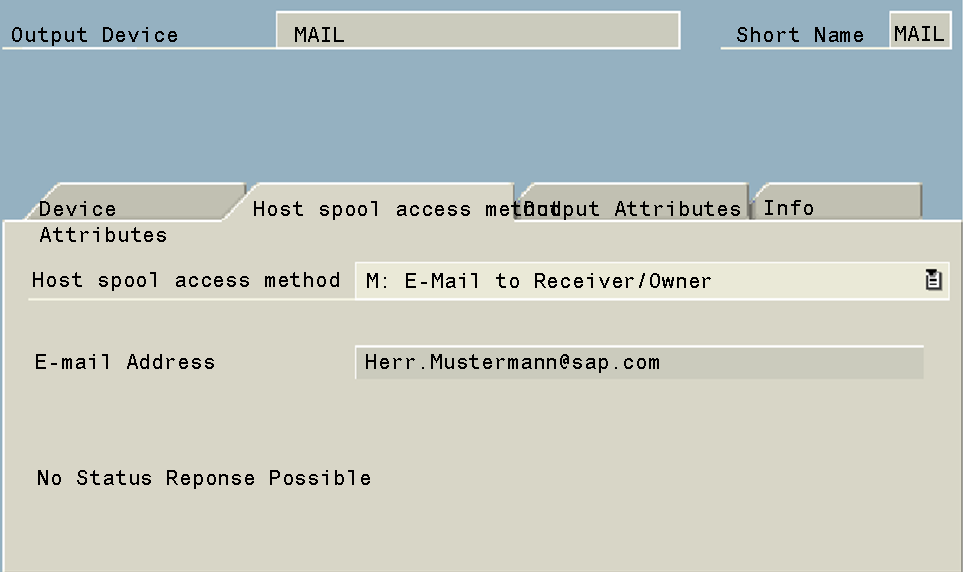
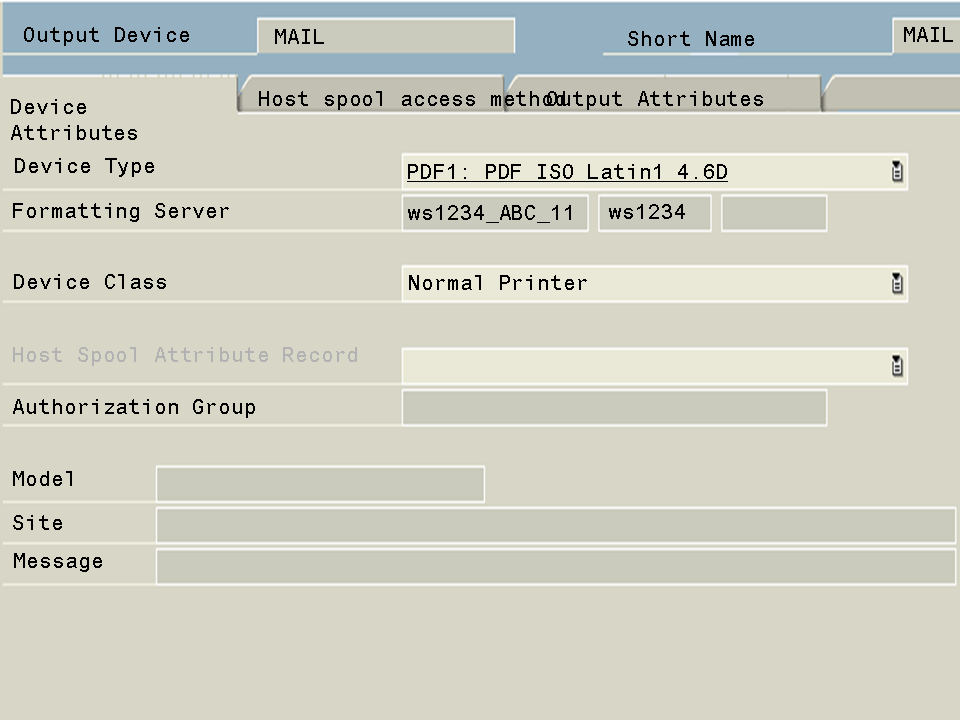
The following example shows the device definition of an output device that is to be used for printing using e-mail:
Device Attributes Tab Page
Host Spool Access Method Tab Page