 Relationship Between Users, Application Groups, Model Connections and Contexts
To get started quickly on an initial implementation, you typically create a library of perspectives and objectives first and then figure out how to measure the objectives by KPIs at a later time. You can start an initial implementation without having to first start building a dimensional model.
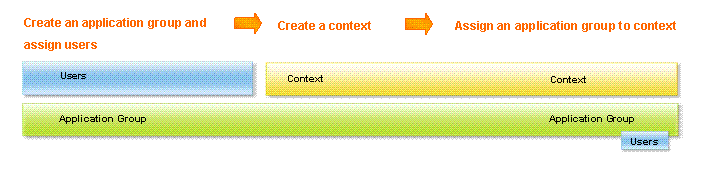
At a minimum, you need to have users entered into the application. Then you can create application groups with permissions and assign users to them, create a context, and then assign application groups to the context. A context contains an association of users to an application group and the application group to the context.
When you are ready to get started with a full Scorecard implementation, you need to create a model connection. A model connection contains an association of users to an Application Server user and an Application Server model.
When the administrator or someone with Create/Edit Scorecards permission then assigns the model connection to a context, the final link is made between users of a model connection and the users of a context. Some or all of the users in an application group for a context must match the users assigned to an Application Server user in the model connection.

Although a model connection and a context contain independent user lists, you must ensure that there is an intersection of users in the two lists. For example, if you assign users A, B, C, D, and E to a model connection, you must make sure that you assign some or all of those users to the context. You cannot assign users F, G, and H to the context because they are not defined in the model connection. If you do assign users F, G, and H to the context, those users cannot access aspects of the application that depend on the model connection such as dashboards and reports and scorecard KPIs.
Once you connect all these aspects, the functions of creating KPIs, setting objectives and perspectives, creating dashboards, and creating reports become available.