Outputting Error Messages for Auto Page Attributes
Use
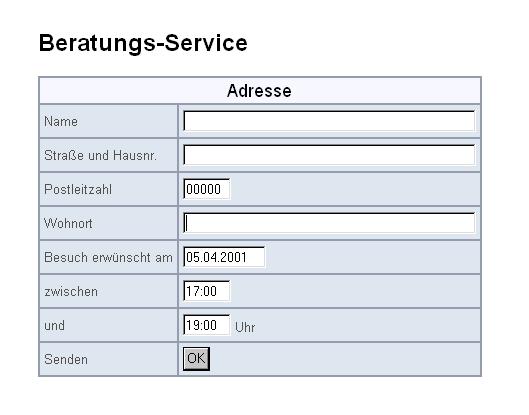
In this tutorial, you will create a simple input form that the end user can use to provide specific information to a consultation service. The end user can specify an address, a date, and a time period in which he or she expects to be contacted by an employee of the service provider.
Note
The underlying example BSP application is BSPTUTORIALMESSAGES. This is located in the SAP System in the package SBSP_DOCU.
The user interface ( default.htm) looks like this:
Procedure
In this section, you will carry out the individual steps using this example.
-
Create the required Page Attributes.
-
Execute the Initialization.
-
Define the Layout.
-
Use the messages Object.
-
Create Alternative Error Output.