Creating a New Enterprise Application
Context
In this step you create a new enterprise application. Later you will use this application to export a deployable EAR file.
Procedure
-
From the menu path, choose
 File
File  New Other
  .
. -
In the dialog that appears, select
J2EE Enterprise Application Project . -
MyLoginModuleEAR Specify as name of the project.
-
Choose Next . Do not change the default settings.
-
Choose Next .
-
Select MyLoginModuleProject to add it to the EAR project.
-
Choose Finish .
Results
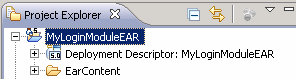
Under Java EE perspective the system displays the following result:
Result Preview
Next Step