Start of Content Area

Procedure documentation Executing Bar Code Scenarios  Locate the document in its SAP Library structure

Use

The procedure applies for the scenarios Late storing with bar code and Early storing with bar code.

For late storing with bar code, the steps are carried out in the sequence 1, 2, 3, 4.

For early storing with bar code, the steps are carried out in the sequence 1, 4, 2, 3.

Procedure
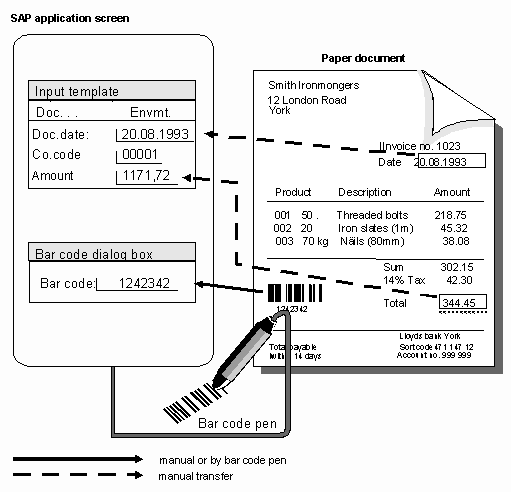
  1. Attach a bar code label to the incoming document. Only the first (or last) page of a multi-page document is given a bar code label. This can happen either in the mail depot or in the application department.
  2. Enter the application document for the document. A dialog box appears in the booking procedure.
  1. Enter the ID of the bar code that is on the document (using a bar code reader pen, bar code gun, or manually), and use the input help to select the document type for the document (you might have already entered this in Customizing)

This graphic is explained in the accompanying text

  1. Forward the document to the scanner, (normally central), where it is scanned and stored. The link to the application document occurs automatically using bar code recognition.
End of Content Area