
 Developing International Web Dynpro
Applications
Developing International Web Dynpro
Applications


You can download the Web Dynpro project for the current tutorial from the Software Developer Network SDN (http://sdn.sap.com -> Web Application Server -> Web Dynpro -> Sample Applications and Tutorials) in two versions: one skeleton version you can use for exercises and one final version (solution) for an immediate build, deployment and run on the Java engine of the SAP Web Application Server.
Task
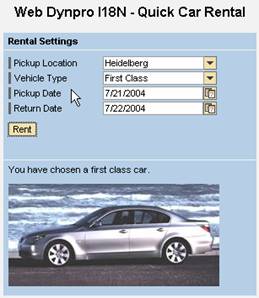
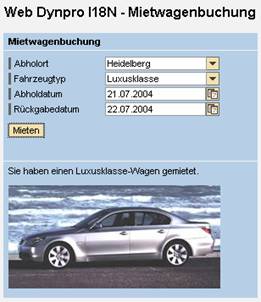
In this tutorial, the task is to develop an international Web Dynpro application that is available in English and German. As an example, we will use a car rental application that displays various different texts, depending on the booking.
The basic framework of the application is provided by the project template TutWD_Languages_Init. You will add language-specific resources to the application and learn about the most important aspects of developing international Web Dynpro applications.
Objectives
By the end of this tutorial, you will be able to:
|
! |
internationalize Web Dynpro applications |
|
! |
create simple types that contain the interface texts |
|
! |
save and read language-specific texts in the message pool. |
Prerequisites
Systems, Installations, and Authorizations
● SAP NetWeaver Developer Studio is installed on your PC.
● You can access the SAP J2EE Engine.
Knowledge
● Basic knowledge of the Java programming language
● Knowledge of programming Web Dynpro applications
Next Step:
Importing the Project Template