
 Adding Java Instances

Use
When the number of
customer requests to the J2EE Engine is large, you may need to resize your
cluster by installing new
 Java
instances.
Java
instances.
You install new Java instances on different physical machines, thus adding more hardware resources and improving the failover capabilities of your system.
Prerequisites
You have installed the basic components of the cluster.
Procedure
Using SAPinst, you can expand the cluster with new Java instances, which you can install on other hosts. For more information about the installation procedure, see SAP Service Marketplace at service.sap.com/installnw70.
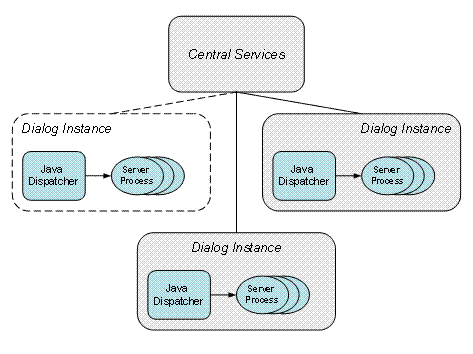
Scaling the cluster by adding a Java instance
Guidelines
● For applications that access the persistence layer frequently and require a lot of server processing, you can configure a cluster with fewer Java instances, each with more server processes.
● We recommend that the Java cluster run behind a load balancer, such as SAP Web Dispatcher, which distributes the client requests among the Java instances. The Java dispatcher in each Java instance provides load balancing between the server processes. You do not need to reconfigure the load balancing. For more information, see Load Balancing of the SAP Web AS for J2EE Applicationsin the Architecture Manual.